
RareDrop AI for iPhone
Your vault, built for your phone.
The same RareDrop account, collection, trades and market data as the website — with a phone-first layout, a card scanner and extras for Elite members.
Testing is invitation-only while we finish App Store review.
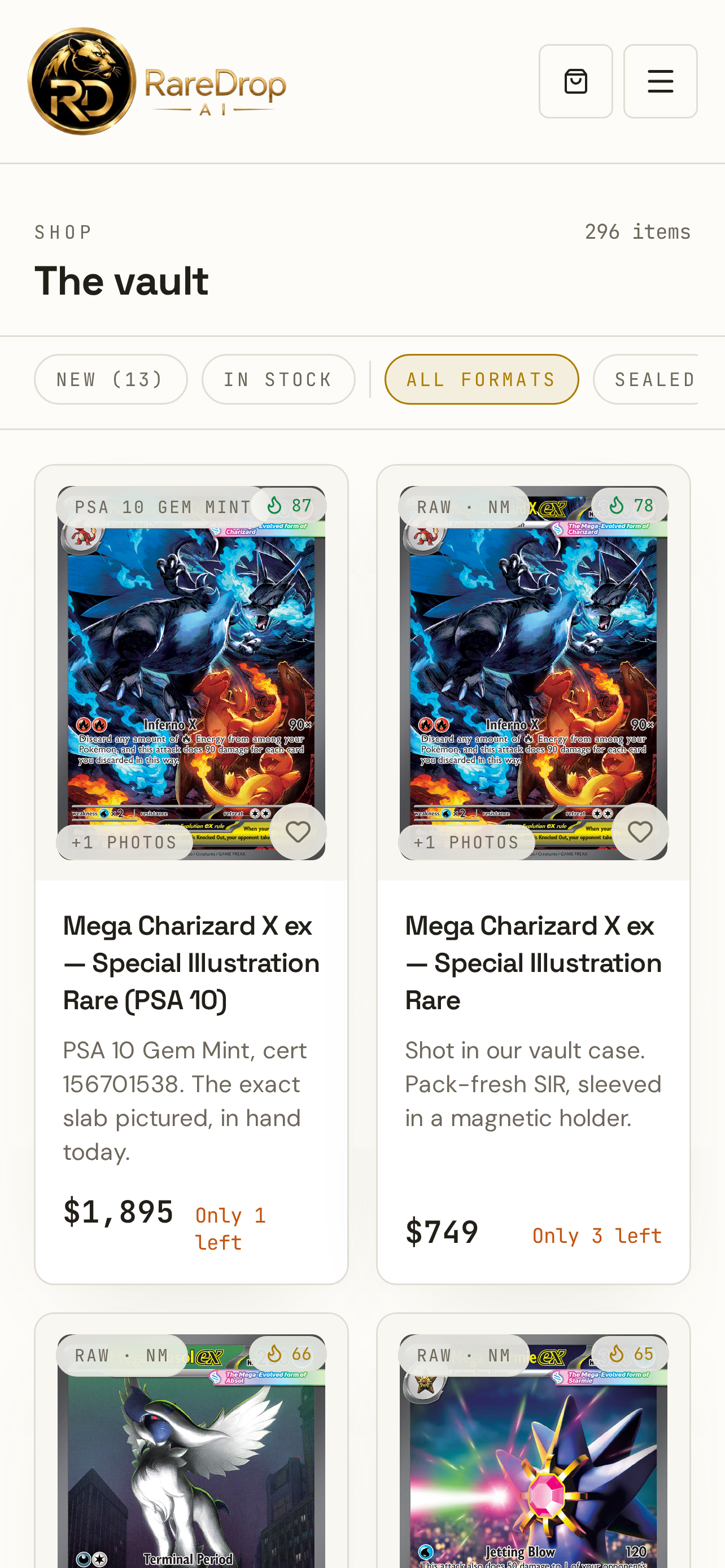
A look inside
Real RareDrop pages captured at iPhone size. The app shows these same pages with its own tabs and header.
Browse the vault
The same live listings as the website, laid out for one hand.
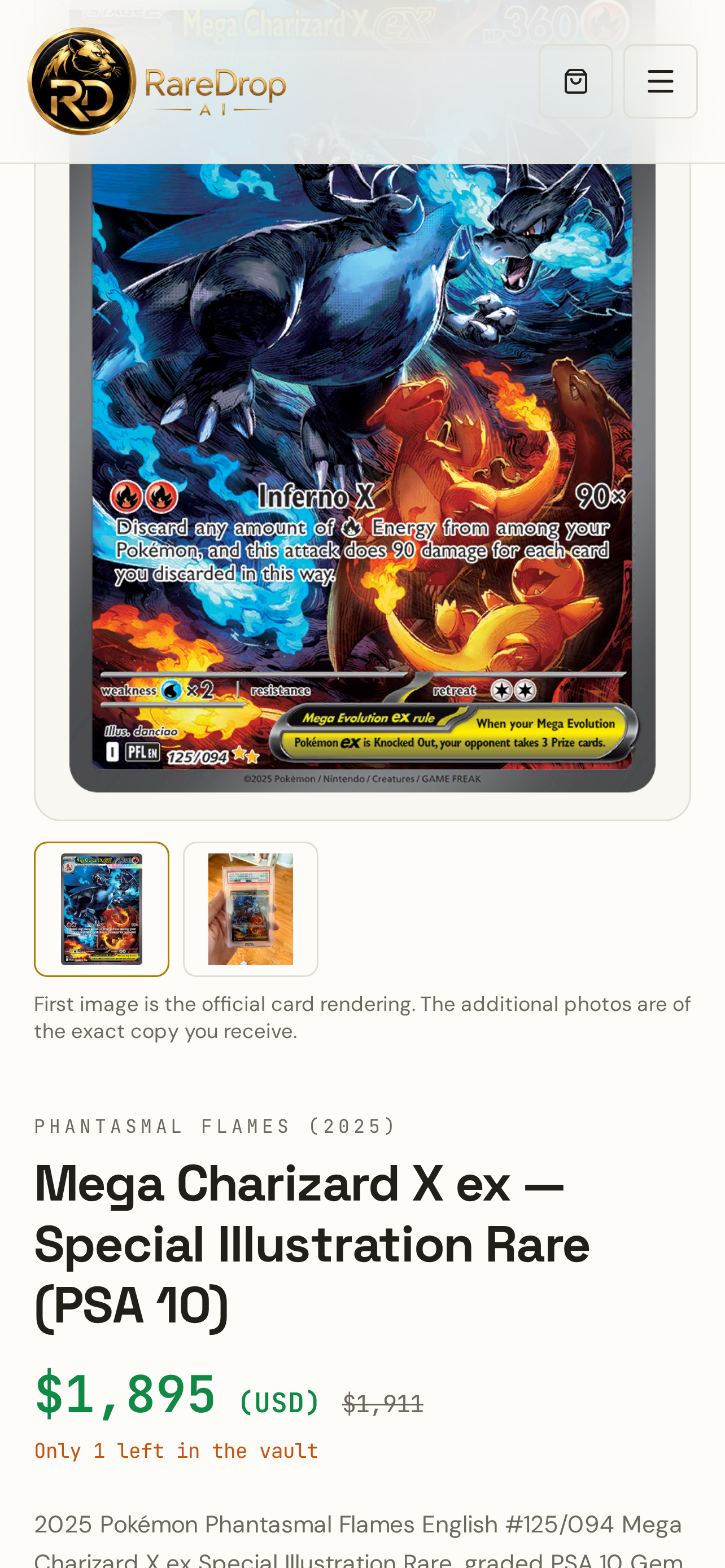
Know the value
Card detail with RareDrop Fair Value and market context.
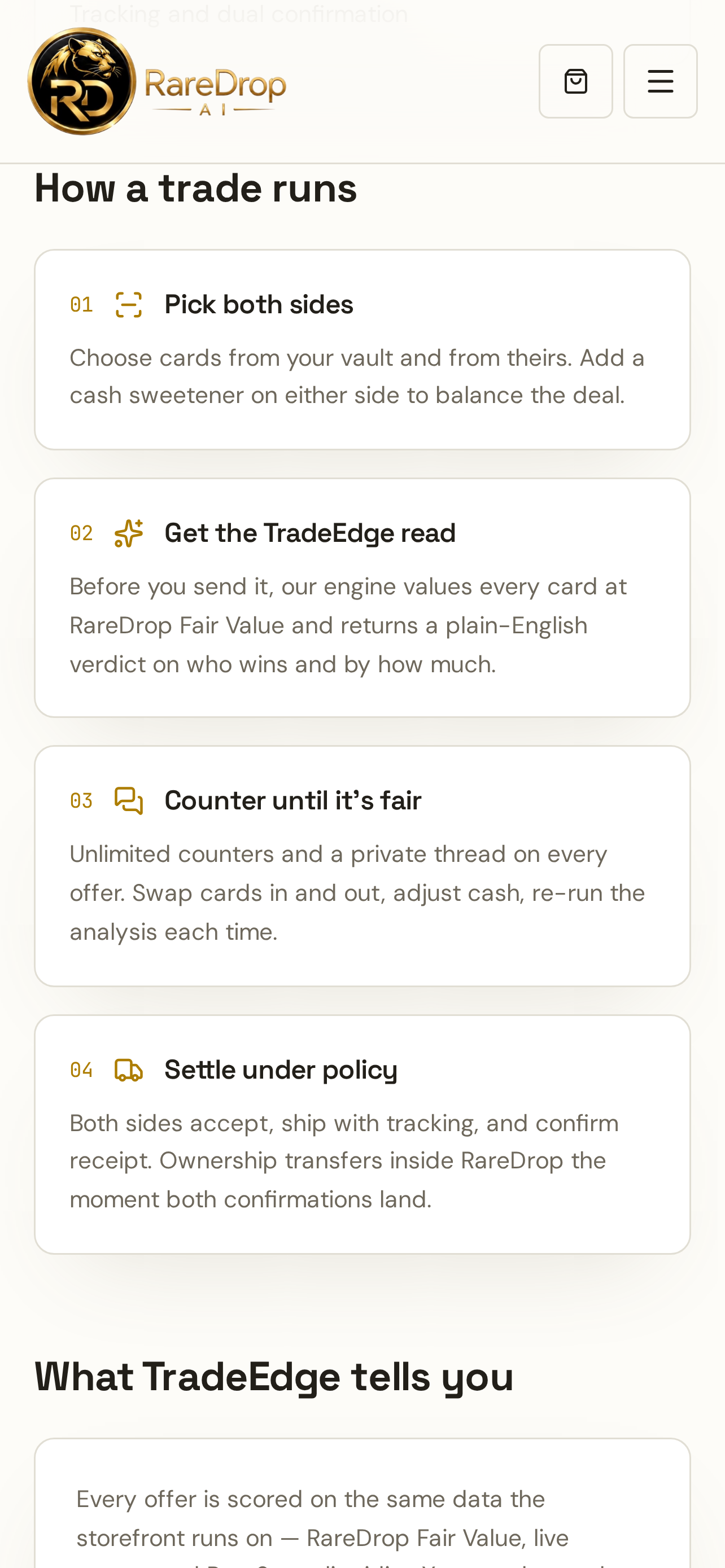
Trade Floor
Pick cards for each side and see TradeEdge before you send.
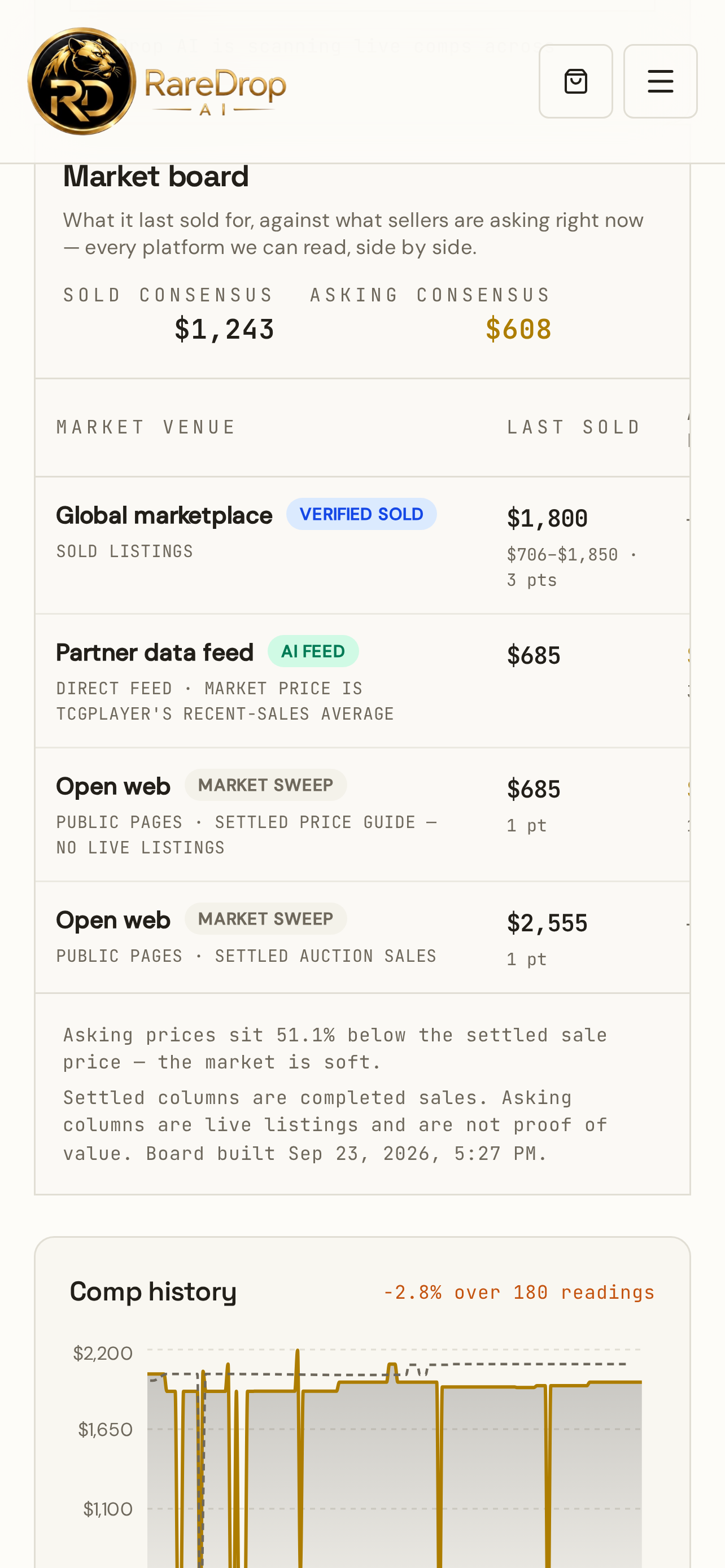
Market board
Settled sold and asking consensus from the RareDrop AI market engine.
Every member
Free and paid accounts
- Your existing RareDrop account, collection, orders, offers and messages
- Card Scanner with photo-quality and centering guidance
- Phone-first layout: bottom tabs, Back button, keyboard-safe forms
- Face ID unlock after 30 minutes idle
- SafeDeal, reporting, help and account deletion — same as the website
Elite extras
For existing active Elite members · in testing
- Card Show Mode — save asking prices and private notes at a show
- Offline read-only copy of your Vault and Want List
- Face ID privacy lock for collection values and notes
- Trade Floor with the You give / You get tray (Trade Floor is Elite on every platform)
Planned, not available yet: push notifications, Apple Wallet passes and Share to RareDrop.
Getting started
- 01
Get the app when it lands on the App Store (link appears here).
- 02
Sign in with your RareDrop account — or create a free one.
- 03
Everything you already have is there. Tap Scan to try the scanner.
Questions
Is it the same account as the website?
Yes. Sign in with your existing RareDrop account. Your collection, listings, trades, orders and messages are the same data on both.
Do I need a membership?
No. Free accounts can use the app to browse, track and buy. Elite extras are for existing active Elite members. New paid memberships are not open yet.
When can I download it?
The app is in testing and not yet on the App Store. Testing is invitation-only. This page will show the official App Store link as soon as it is live.
Which devices are supported?
iPhone. We will publish the exact supported iOS versions with the App Store listing.
Will the website change?
No. The website keeps its full desktop layout. Improvements ship to both at the same time.